Keep the TV cool
Heat shortens the life of electronics. Leave space behind and around the set, as the manufacturer recommends, and keep the vents clear of dust and curtains. Avoid placing the TV in a cabinet with no airflow, and keep it out of direct sunlight where you can.
Protect it from power problems
Use a surge-protected power strip, and unplug the TV or the strip during thunderstorms if this is practical. Power surges are a common cause of damage to electronics. A surge-rated strip gives more protection than a plain extension lead.
Clean the screen safely
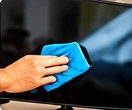
Use a soft, dry microfibre cloth. For stubborn marks, check the manual first, since some manufacturers allow a barely damp cloth and others do not. Avoid household cleaners and products containing ammonia, and never spray liquid directly onto the screen, because it can seep into the edges. Do not press hard on the panel.
Look after an OLED screen
OLED panels can develop image retention if the same static image stays on screen for long periods. Avoid leaving logos, channel bugs, news tickers or game menus on screen for hours. Use the TV's built-in pixel refresh or screen care options as the manual describes, and lower the brightness if the set runs for many hours in a bright room.
Keep the software up to date
Software updates can fix bugs and improve stability. Check for updates from time to time, and make sure the TV has a reliable connection while it updates. Do not switch the TV off during an update, since an interrupted update can cause problems.
Notice early warning signs
New buzzing, flicker, a burning smell or unusual heat around the back of the set are worth acting on. Switch the TV off, unplug it, and arrange a check before the problem gets worse. Our contact page explains how to book a visit. For faults that have already started, see our guide to common TV problems.